
Raspberry Pi 2 Model B
Image Gallery
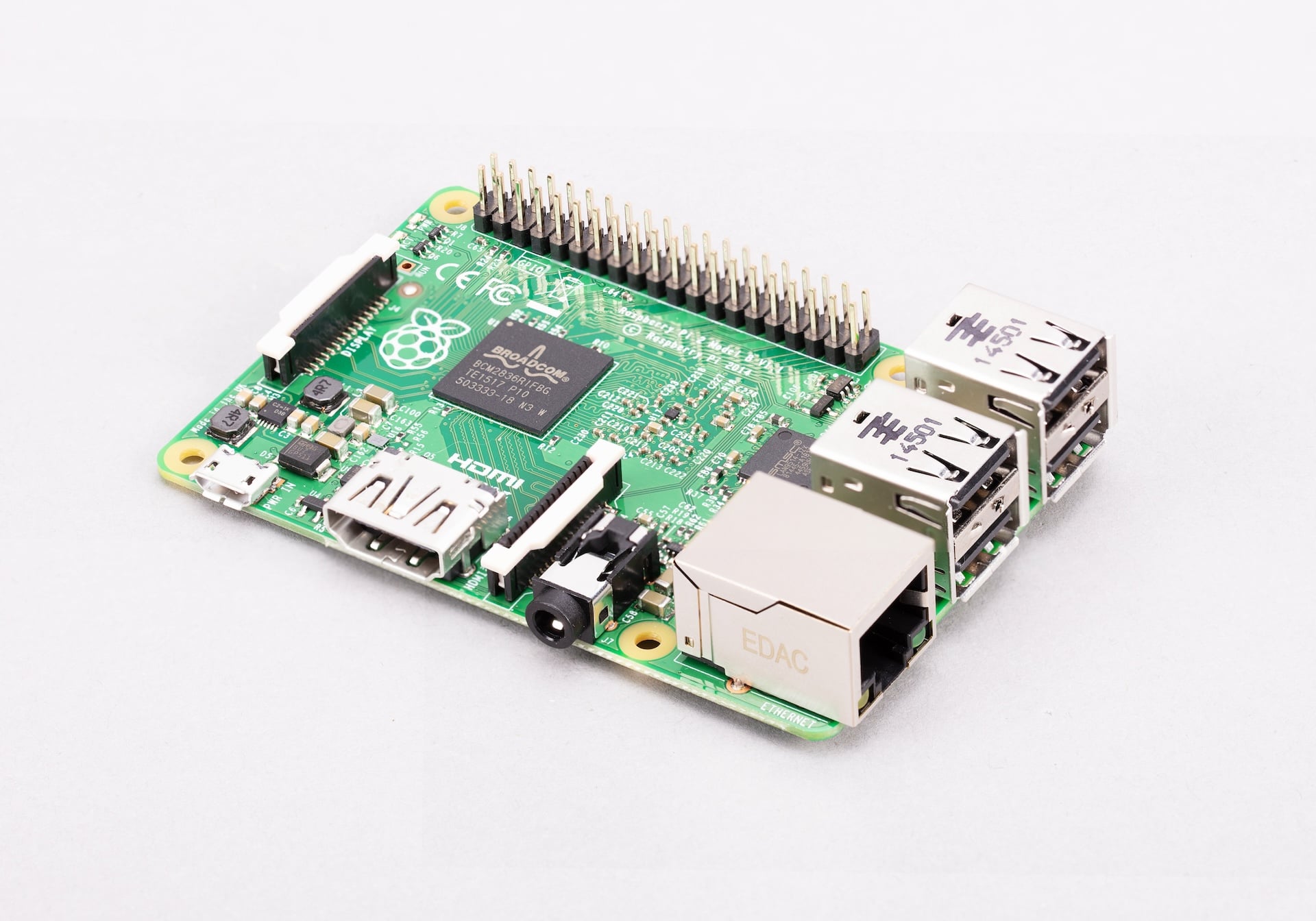
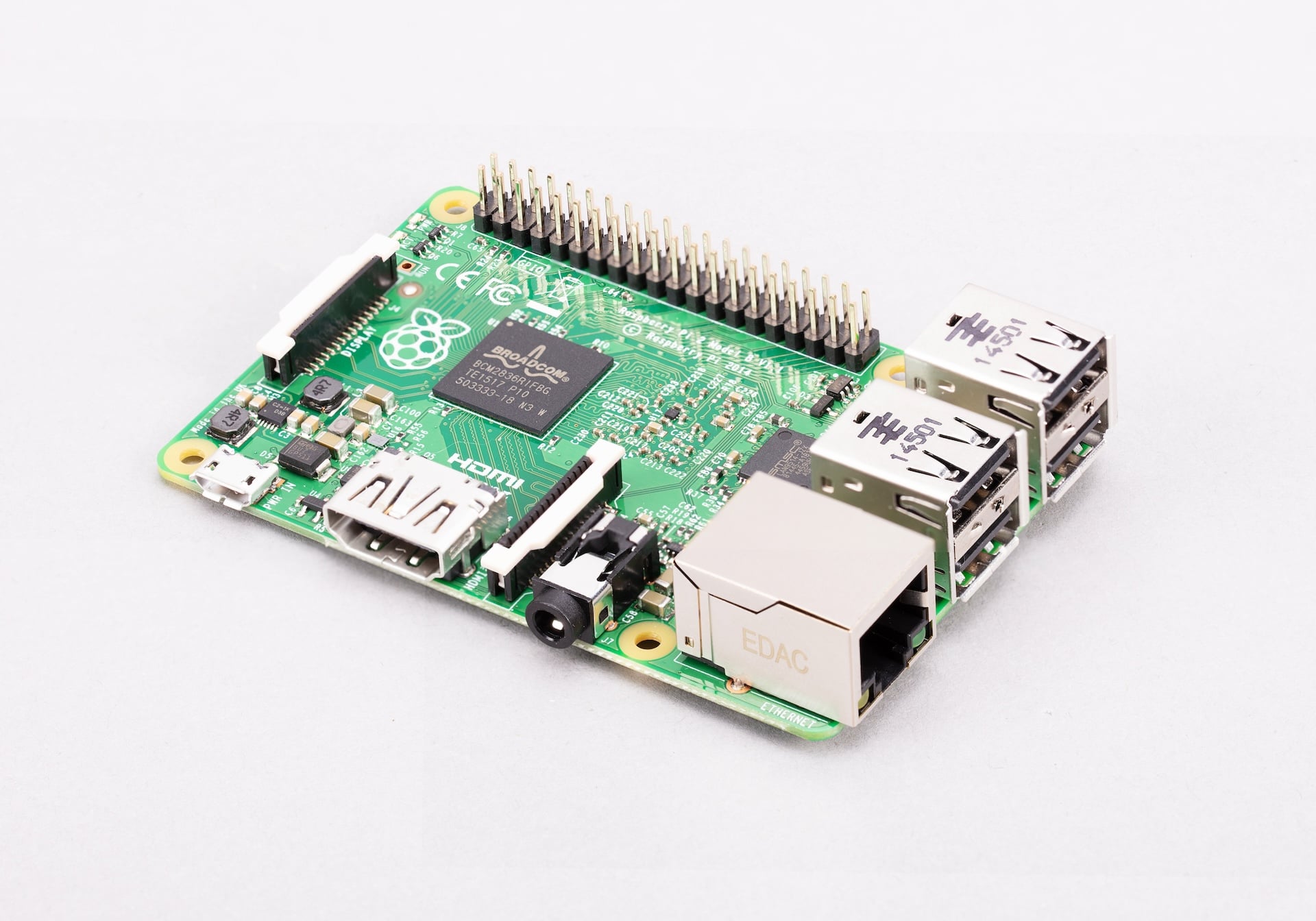
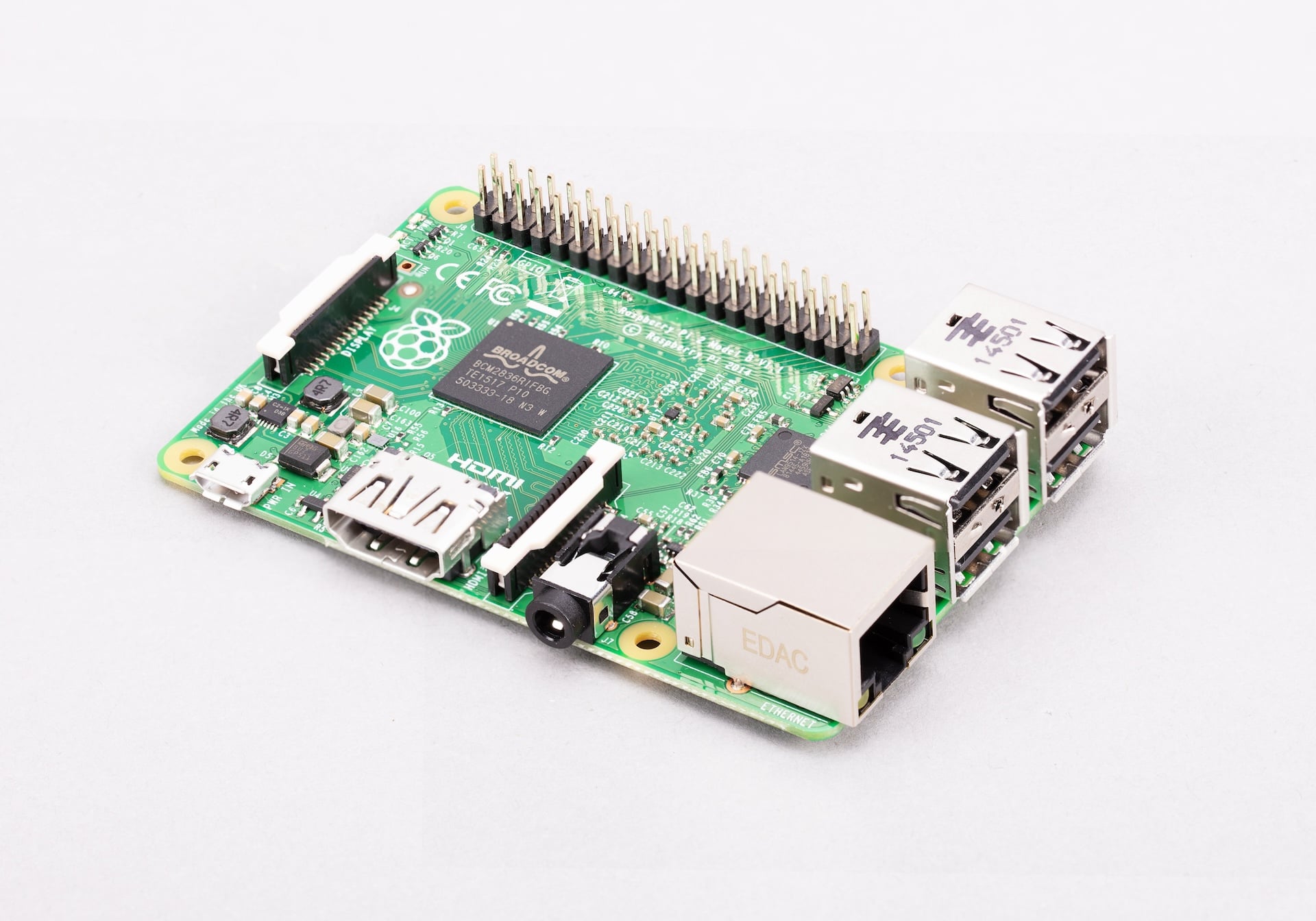
Overview
The Raspberry Pi 2 Model B, released in February 2015, was a major generational leap for the Raspberry Pi platform. It introduced a quad-core ARM Cortex-A7 processor and doubled the RAM to 1 GB, making it approximately six times faster than the original Pi 1. For the first time, running a full desktop operating system on a Raspberry Pi felt practical and responsive.
The Pi 2 Model B has no on-board Wi-Fi or Bluetooth — USB dongles were the standard workaround at the time. It was succeeded by the Pi 3 Model B in 2016, which added wireless connectivity. Despite being discontinued, the Pi 2 remains in use in many legacy projects and is widely available secondhand.
Key Features
- Broadcom BCM2836 quad-core ARM Cortex-A7 at 900 MHz (v1.1); some v1.2 units use BCM2837 Cortex-A53 at 900 MHz
- 1 GB LPDDR2 SDRAM
- No on-board Wi-Fi or Bluetooth (USB dongle required for wireless)
- 100 Mbps Fast Ethernet
- 4× USB 2.0 ports
- 40-pin GPIO header
- Full-size HDMI output up to 1080p
- Combined 3.5mm audio and composite video jack
- CSI camera connector and DSI display connector
- MicroSD card slot
Technical Specifications
| Specification | Detail |
|---|---|
| CPU | Broadcom BCM2836 v1.1, quad-core ARM Cortex-A7 at 900 MHz |
| CPU (v1.2 revision) | Broadcom BCM2837, quad-core ARM Cortex-A53 at 900 MHz |
| RAM | 1 GB LPDDR2 SDRAM |
| Wi-Fi | None (USB dongle required) |
| Bluetooth | None (USB dongle required) |
| Ethernet | 100 Mbps Fast Ethernet |
| USB | 4× USB 2.0 |
| GPIO | 40-pin header |
| Video Output | 1× full-size HDMI (up to 1080p) |
| Audio Output | 3.5mm audio+composite jack, HDMI audio |
| Camera Interface | 1× CSI connector |
| Display Interface | 1× DSI connector |
| Storage | microSD card slot |
| Power Input | 5V DC via micro-USB, 2A recommended |
| Dimensions | 85 × 56 mm |
Pinout
The Raspberry Pi 2 Model B uses the 40-pin GPIO header introduced with the Pi 1 Model B+. This layout is fully compatible with all standard Raspberry Pi HATs.
Power Pins
Pins 1 and 17 supply 3.3V. Pins 2 and 4 supply 5V. Ground pins are at positions 6, 9, 14, 20, 25, 30, 34, and 39.
GPIO Pins
GPIO pins operate at 3.3V logic levels. Do not apply 5V signals directly to GPIO pins without level shifting.
Communication Interfaces
| Interface | Pins | Notes |
|---|---|---|
| SPI0 | GPIO 9, 10, 11, 8, 7 | MISO, MOSI, SCLK, CE0, CE1 |
| I2C1 | GPIO 2, 3 | SDA, SCL |
| UART0 | GPIO 14, 15 | TX, RX — hardware UART |
| I2S | GPIO 18, 19, 20, 21 | PCM audio |
| PWM | GPIO 12, 13, 18, 19 | Hardware PWM |
Power
The Raspberry Pi 2 Model B is powered via micro-USB and requires a 5V/2A supply. It consumes less power than the Pi 3 series due to the lower-clock ARM Cortex-A7 processor.
| Power Method | Detail |
|---|---|
| Micro-USB | 5V / 2A recommended |
| GPIO 5V Pins | 5V direct input — bypasses polyfuse protection |
On-Board Components
| Component | Description |
|---|---|
| BCM2836 SoC | Quad-core Cortex-A7 900 MHz processor (v1.1 boards) |
| BCM2837 SoC | Quad-core Cortex-A53 900 MHz processor (v1.2 boards) |
| 1 GB LPDDR2 | RAM on SoC package |
| SMSC LAN9514 | USB 2.0 hub + 100 Mbps Ethernet controller |
| HDMI port | Full-size HDMI output |
| CSI connector | Camera interface |
| DSI connector | Display interface |
| 3.5mm jack | Audio and composite video output |
| microSD slot | OS and storage |
Getting Started
What You Need
- Raspberry Pi 2 Model B
- MicroSD card (8 GB minimum, Class 10 recommended)
- 5V/2A micro-USB power supply
- HDMI cable and monitor
- USB keyboard and mouse
- USB Wi-Fi dongle (optional, for wireless networking)
Step 1 — Flash the OS
Download Raspberry Pi Imager and flash Raspberry Pi OS to the microSD card. The Pi 2 Model B is supported by current Raspberry Pi OS releases (32-bit).
Step 2 — First Boot
Insert the microSD card, connect HDMI, keyboard, and mouse, then apply power. The system boots automatically from the microSD card.
Step 3 — Setup
On first boot, follow the setup wizard to configure locale, timezone, and password. If using a USB Wi-Fi dongle, connect to a wireless network at this stage.
Step 4 — GPIO Blink Example
Connect an LED with a 330Ω resistor between GPIO 18 and a ground pin. Run the following Python script:
Programming
Python
Python 3 is pre-installed on Raspberry Pi OS. The RPi.GPIO and gpiozero libraries enable GPIO control. The Pi 2's 1 GB RAM makes Python development comfortable.
C and C++
C/C++ programs compile and run well on the Pi 2. The wiringPi and pigpio libraries provide GPIO access from C.
Scratch
Scratch 3 is available in the full Raspberry Pi OS desktop and runs acceptably on the Pi 2 with 1 GB RAM.
Applications
- Desktop PC for learning Linux and programming
- Web server or file server
- Retro gaming (RetroPie)
- Media center (Kodi)
- School and classroom computing
- IoT prototyping with USB peripherals
Where to Buy
- Available secondhand on eBay and local electronics markets
Equivalent Boards
| Board | Key Difference |
|---|---|
| Raspberry Pi 3 Model B | Faster 64-bit CPU, built-in Wi-Fi and Bluetooth — direct successor |
| Raspberry Pi 1 Model B+ | Slower single-core CPU, less RAM, but same 40-pin GPIO layout |
| Raspberry Pi 4 Model B | Much faster, USB 3, more RAM options |
Notes
- The Raspberry Pi 2 Model B is compatible with all standard 40-pin Raspberry Pi HATs.
- Two silicon revisions exist: v1.1 uses BCM2836 (Cortex-A7) and v1.2 uses BCM2837 (Cortex-A53). Both run at 900 MHz. Check the board revision using cat /proc/cpuinfo.
- No on-board wireless: use a USB Wi-Fi dongle or a USB Bluetooth adapter. Most common USB Wi-Fi chipsets (Realtek, Atheros) are supported under Raspberry Pi OS.
- The Pi 2 is notably sensitive to camera flash: very bright xenon flashes can cause an unintended reset due to the photoelectric effect on unpackaged die silicon. This is an interesting curiosity of the v1.1 boards.
Community
- Raspberry Pi Forums — official community
- r/raspberry_pi (Reddit) — share projects
- Raspberry Pi Discord — real-time chat
Revision History
| Version | Date | Notes |
|---|---|---|
| v1.0 | 2026-06 | Initial entry |