
Raspberry Pi 3 Model B
Image Gallery
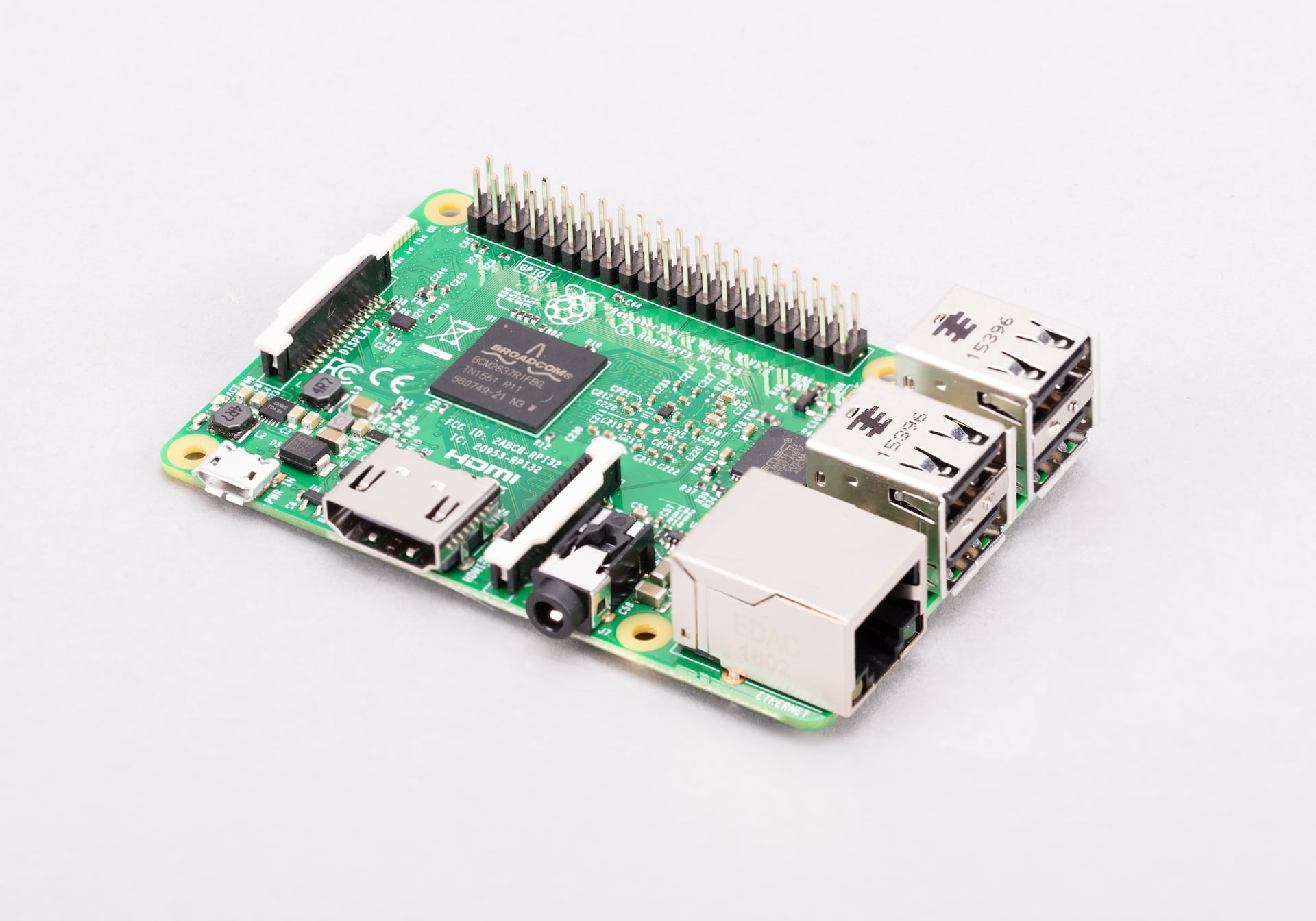
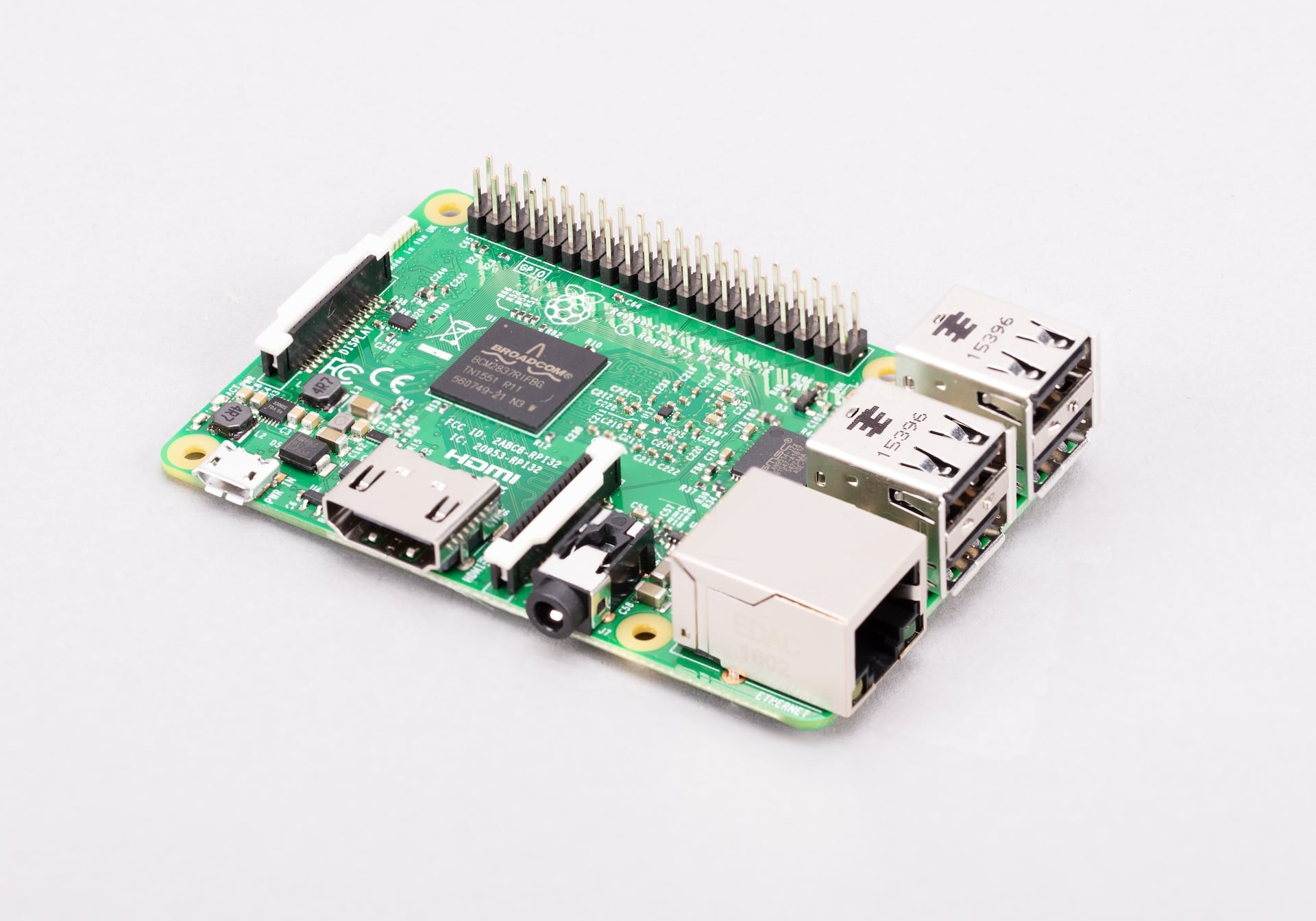
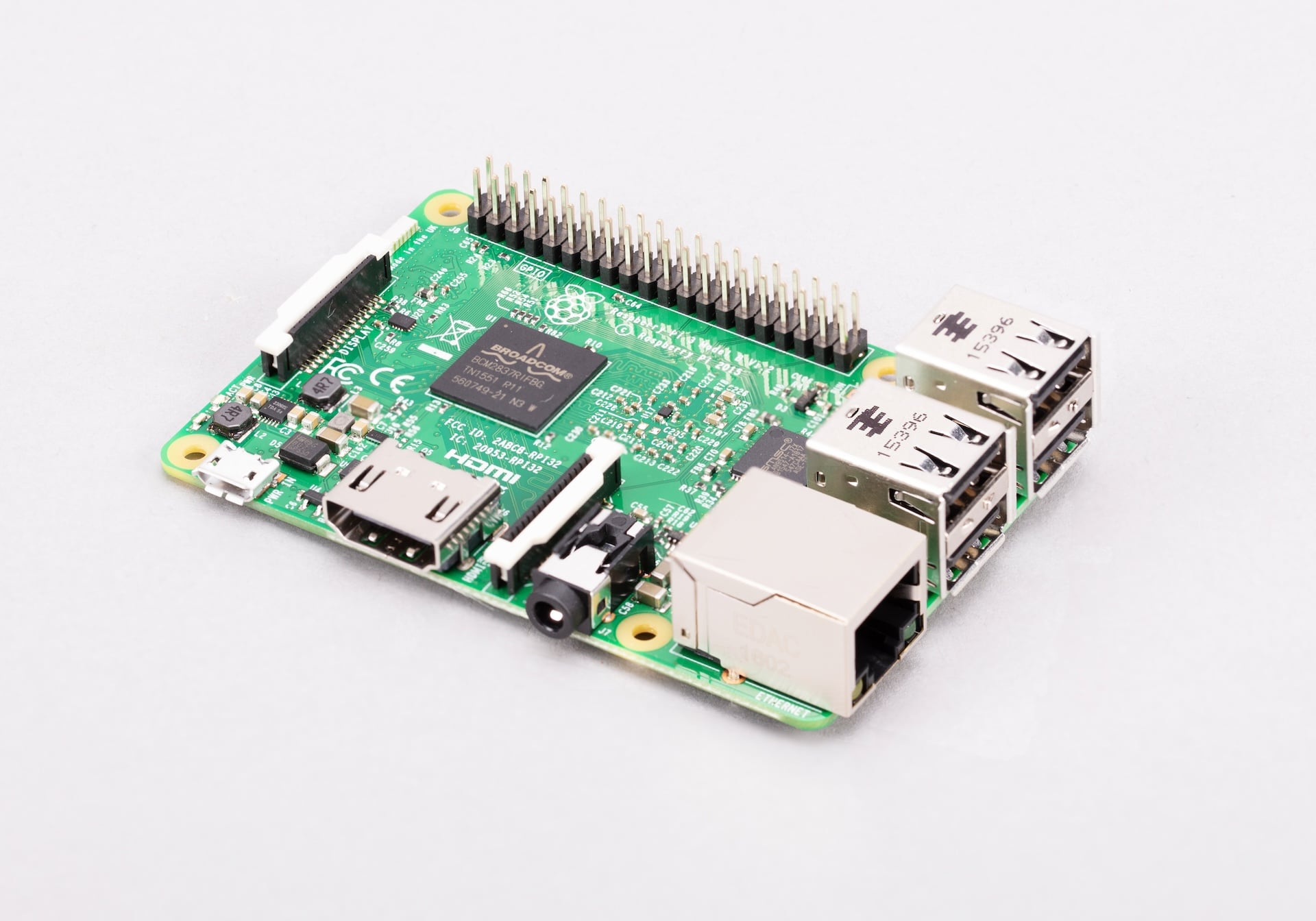
Overview
The Raspberry Pi 3 Model B, released in February 2016, was a landmark product in the Raspberry Pi line. It was the first Raspberry Pi to include on-board Wi-Fi and Bluetooth, removing the need for USB dongles that had been a common workaround on earlier models. It also moved to a 64-bit ARM Cortex-A53 quad-core processor running at 1.2 GHz, making it significantly more powerful than the Pi 2.
Although discontinued, the Pi 3 Model B remains in widespread use across education, existing maker projects, and secondhand markets. Its combination of wireless connectivity and processing power made it the most popular Raspberry Pi of its generation.
Key Features
- Broadcom BCM2837 quad-core ARM Cortex-A53 at 1.2 GHz (64-bit capable)
- 1 GB LPDDR2 SDRAM
- On-board 802.11 b/g/n Wi-Fi (2.4 GHz only) — first Raspberry Pi with built-in Wi-Fi
- On-board Bluetooth 4.1 with BLE — first Raspberry Pi with built-in Bluetooth
- 100 Mbps Ethernet
- 4× USB 2.0 ports
- 40-pin GPIO header
- Full-size HDMI output up to 1080p
- Combined 3.5mm audio and composite video jack
- CSI camera connector and DSI display connector
- MicroSD card slot
Technical Specifications
| Specification | Detail |
|---|---|
| CPU | Broadcom BCM2837, quad-core ARM Cortex-A53 at 1.2 GHz (64-bit) |
| RAM | 1 GB LPDDR2 SDRAM |
| Wi-Fi | 802.11 b/g/n (2.4 GHz only) |
| Bluetooth | Bluetooth 4.1, BLE |
| Ethernet | 100 Mbps Fast Ethernet |
| USB | 4× USB 2.0 |
| GPIO | 40-pin header |
| Video Output | 1× full-size HDMI (up to 1080p) |
| Audio Output | 3.5mm audio+composite jack, HDMI audio |
| Camera Interface | 1× CSI connector |
| Display Interface | 1× DSI connector |
| Storage | microSD card slot |
| Power Input | 5V DC via micro-USB, 2.5A recommended |
| Dimensions | 85 × 56 mm |
Pinout
The Raspberry Pi 3 Model B uses the standard 40-pin GPIO header introduced on the Pi 1 Model B+. This layout is compatible with all standard Raspberry Pi HATs and expansion boards.
Power Pins
Pins 1 and 17 supply 3.3V. Pins 2 and 4 supply 5V. Multiple ground pins are distributed across the header (pins 6, 9, 14, 20, 25, 30, 34, 39).
GPIO Pins
General-purpose I/O pins operate at 3.3V logic levels. Applying 5V to a GPIO pin will damage the SoC. A level shifter is required when interfacing with 5V devices.
Communication Interfaces
| Interface | Pins | Notes |
|---|---|---|
| SPI0 | GPIO 9, 10, 11, 8, 7 | MISO, MOSI, SCLK, CE0, CE1 |
| I2C1 | GPIO 2, 3 | SDA, SCL |
| UART0 | GPIO 14, 15 | TX, RX — shared with Bluetooth module |
| I2S | GPIO 18, 19, 20, 21 | PCM audio interface |
| PWM | GPIO 12, 13, 18, 19 | Hardware PWM |
Power
The Pi 3 Model B requires a 5V/2.5A micro-USB power supply for stable operation. Underpowered supplies cause the lightning-bolt undervoltage indicator to appear in the top-right corner of the desktop, and may cause SD card corruption or random reboots.
| Power Method | Detail |
|---|---|
| Micro-USB | 5V / 2.5A recommended |
| GPIO 5V Pins | 5V direct input — bypasses polyfuse protection |
On-Board Components
| Component | Description |
|---|---|
| BCM2837 SoC | 64-bit quad-core Cortex-A53 processor |
| LPDDR2 RAM | 1 GB RAM stacked on SoC |
| BCM43438 | 2.4 GHz Wi-Fi + Bluetooth 4.1 combo chip |
| LAN9514 | USB hub + 100 Mbps Ethernet controller |
| HDMI port | Full-size HDMI output |
| CSI connector | Camera interface connector |
| DSI connector | Display interface connector |
| 3.5mm jack | Audio and composite video output |
| microSD slot | OS and storage |
Wireless Connectivity
The Pi 3 Model B uses a Broadcom BCM43438 chip to provide 2.4 GHz Wi-Fi and Bluetooth 4.1. It was the first Raspberry Pi with these capabilities built in. Only the 2.4 GHz Wi-Fi band is supported — the dual-band upgrade came with the Pi 3 Model B+ in 2018.
| Wireless Feature | Detail |
|---|---|
| Wi-Fi Standard | 802.11 b/g/n |
| Frequency Band | 2.4 GHz only |
| Bluetooth Version | 4.1 |
| Bluetooth Modes | Classic and BLE |
| RF Module | Broadcom BCM43438 |
Getting Started
What You Need
- Raspberry Pi 3 Model B
- MicroSD card (8 GB minimum, Class 10 recommended)
- 5V/2.5A micro-USB power supply
- HDMI cable and monitor
- USB keyboard and mouse
Step 1 — Flash the OS
Download Raspberry Pi Imager. Insert a microSD card, choose Raspberry Pi OS (or another supported OS), select the SD card, and write the image.
Step 2 — First Boot
Insert the microSD into the slot on the underside of the board. Connect HDMI, keyboard, and mouse, then plug in the micro-USB power supply. The system boots automatically.
Step 3 — Setup Wizard
Follow the on-screen setup wizard to set locale, timezone, and Wi-Fi password. Update the software when prompted.
Step 4 — GPIO Blink Example
Connect an LED and a 330Ω resistor between GPIO 18 (pin 12) and ground. Run the following Python script:
Programming
Python
Python is the primary language for Raspberry Pi projects. The RPi.GPIO and gpiozero libraries allow GPIO control. Python 3 is pre-installed on Raspberry Pi OS.
C and C++
C and C++ programs can be compiled with GCC, which is pre-installed. The wiringPi and pigpio libraries provide GPIO access.
Scratch
Scratch 3 is included in the full Raspberry Pi OS desktop and is ideal for beginners and classroom use.
Applications
- Educational computer for coding and Linux learning
- Home automation hub
- Media center (Kodi / LibreELEC)
- Retro gaming (RetroPie)
- Web server or development environment
- IoT and robotics projects
Where to Buy
- Available secondhand on eBay and local electronics markets
Equivalent Boards
| Board | Key Difference |
|---|---|
| Raspberry Pi 3 Model B+ | Faster 1.4 GHz CPU, dual-band Wi-Fi, PoE header — direct successor |
| Raspberry Pi 2 Model B | No wireless, older Cortex-A7 CPU, slower |
| Raspberry Pi 4 Model B | Much faster, USB 3.0, more RAM options, higher power use |
Documentation
Notes
- The Raspberry Pi 3 Model B is compatible with all standard 40-pin Raspberry Pi HATs, including sensor HATs, display HATs, and motor driver boards.
- The UART on GPIO 14/15 is shared with the Bluetooth module by default. To use UART for serial communication, Bluetooth must be disabled or rerouted using device tree overlays.
- The Pi 3 Model B does not have a PoE header; the PoE HAT is not compatible with this board.
Community
- Raspberry Pi Forums — official community
- r/raspberry_pi (Reddit) — share projects
- Raspberry Pi Discord — real-time chat
Revision History
| Version | Date | Notes |
|---|---|---|
| v1.0 | 2026-06 | Initial entry |