
Raspberry Pi Zero
Image Gallery
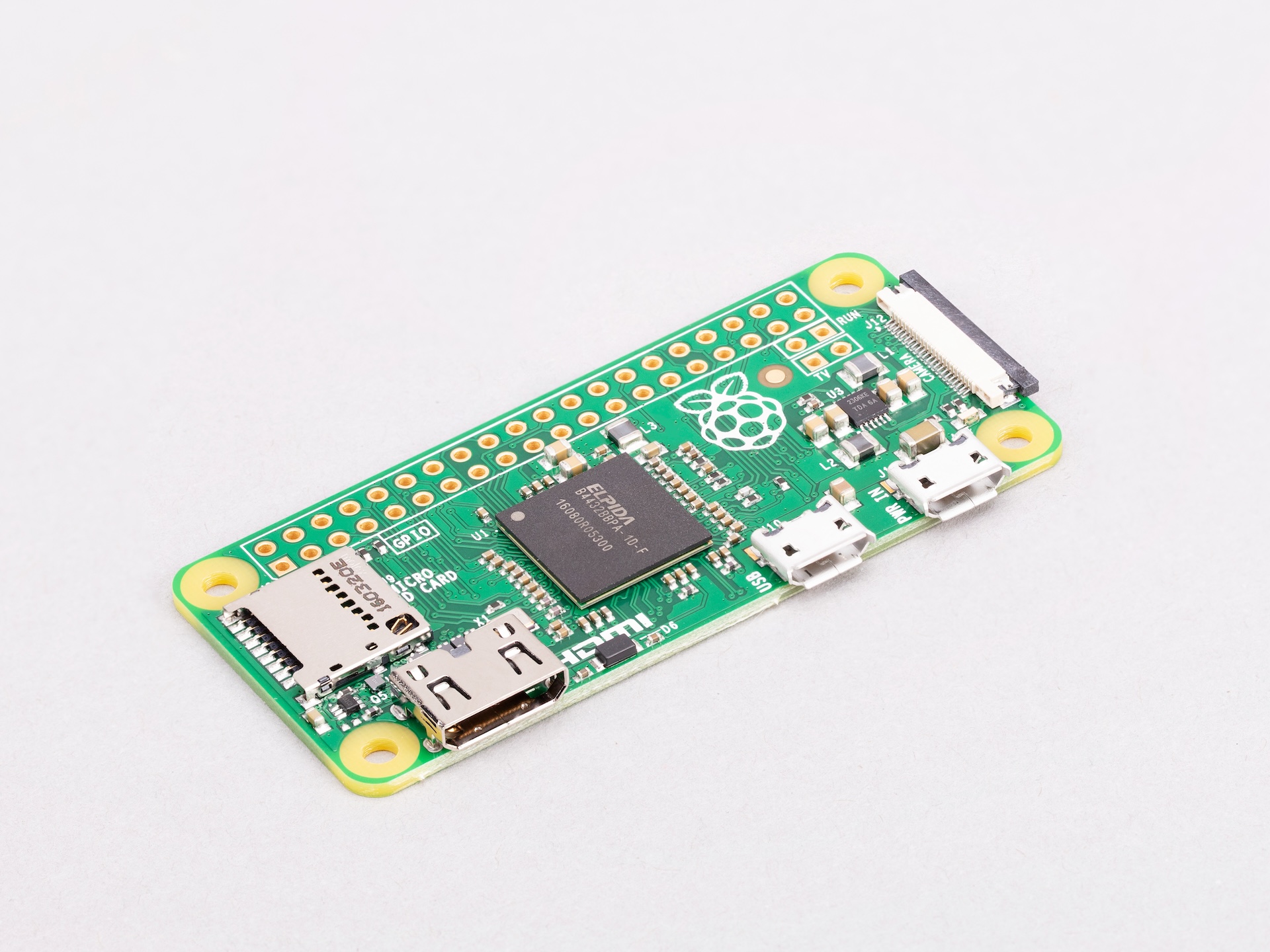
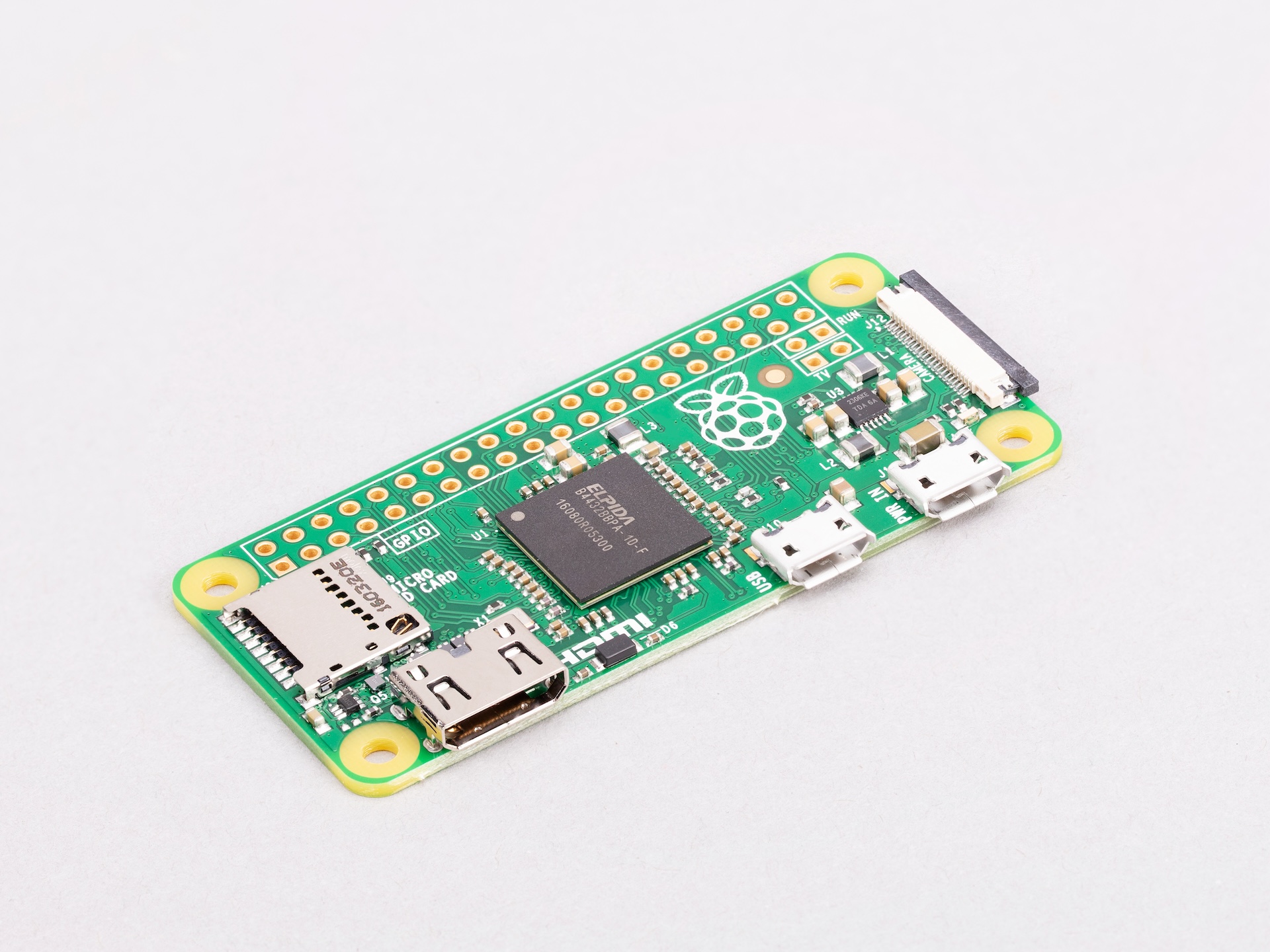
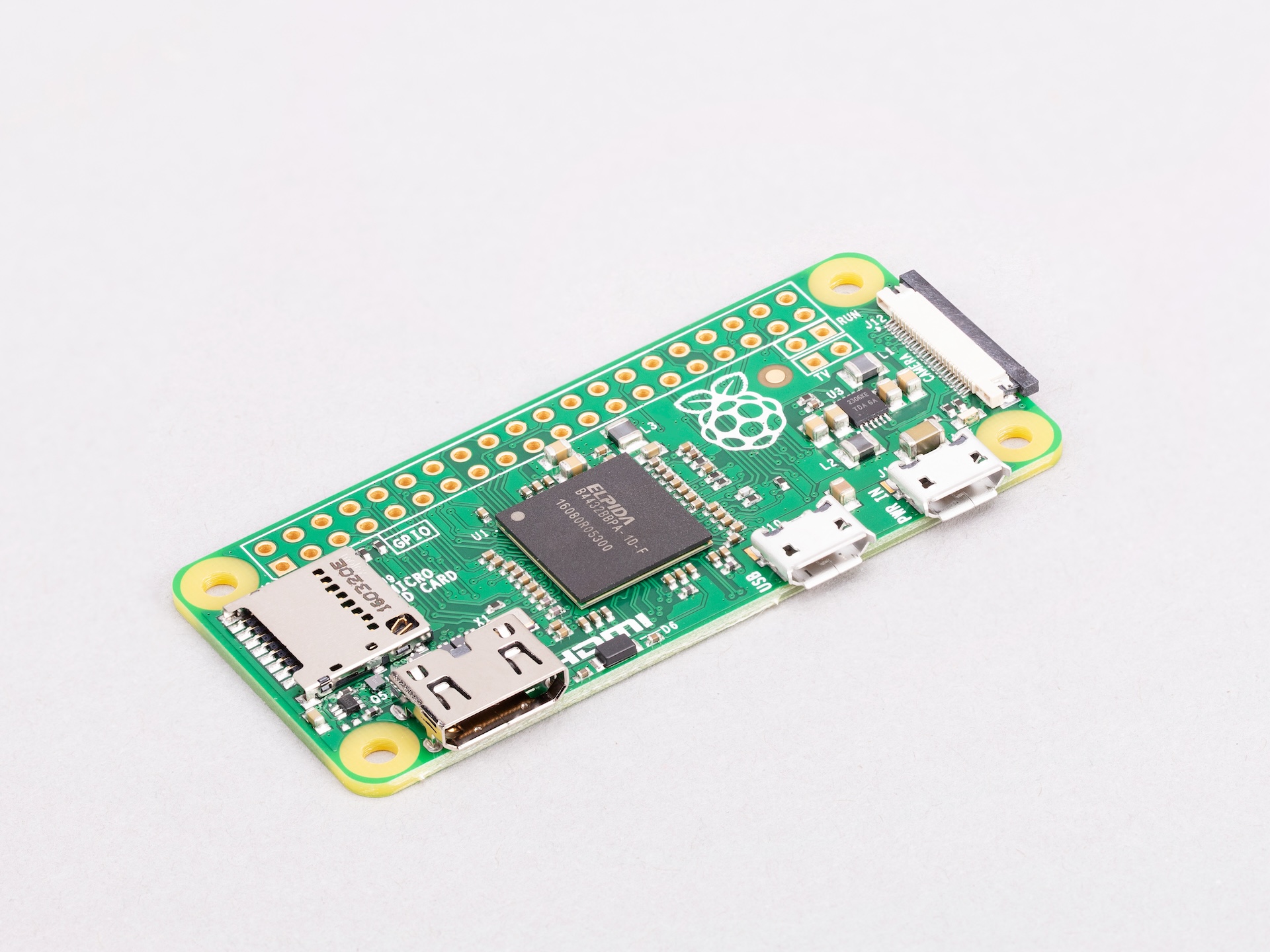
Overview
The Raspberry Pi Zero was announced in November 2015 at a launch price of $5 USD, making it the most affordable full Linux single-board computer available at the time. It uses the same Broadcom BCM2835 processor found in the original Raspberry Pi 1 — a single-core ARM1176JZF-S running at 1 GHz — paired with 512 MB of SDRAM, all on a board measuring just 65 × 30 mm.
Unlike later Zero variants, the original Pi Zero includes no wireless connectivity. Network access requires a USB Wi-Fi or Ethernet adapter connected through the micro USB OTG port via a hub. Despite these limitations, the Pi Zero became notable as proof that a fully capable Linux computer could be produced at minimal cost. It has since been superseded by the Pi Zero W (adds Wi-Fi and Bluetooth) and Pi Zero 2 W (quad-core), but it remains historically significant and may still be found in existing installations.
Key Features
- Single-core ARM1176JZF-S at 1 GHz (Broadcom BCM2835)
- 512 MB SDRAM
- No Wi-Fi, no Bluetooth (wireless requires USB adapter)
- 40-pin GPIO header (unpopulated)
- Mini CSI-2 camera connector (requires Zero-length ribbon cable)
- Mini HDMI video output
- 1× micro USB OTG + 1× micro USB power
- MicroSD card slot
- 65 × 30 mm form factor
- Originally priced at $5 USD
Technical Specifications
| Specification | Details |
|---|---|
| CPU | Broadcom BCM2835, single-core ARM1176JZF-S @ 1 GHz |
| RAM | 512 MB SDRAM |
| Wi-Fi | None |
| Bluetooth | None |
| GPIO | 40-pin (unpopulated header) |
| Camera | Mini CSI-2 connector (1-lane) |
| Video Output | Mini HDMI |
| USB Data | 1× Micro USB (OTG) |
| USB Power | 1× Micro USB (power only) |
| Storage | MicroSD card slot |
| Ethernet | None (USB adapter required) |
| Power Input | 5V / 2.5A recommended via micro USB |
| Dimensions | 65 × 30 mm |
| Status | Discontinued |
| OS Support | Raspberry Pi OS (32-bit), Raspberry Pi OS Lite |
Pinout
The Pi Zero uses the standard 40-pin Raspberry Pi GPIO header layout. Early production units (v1.2 and earlier) were sold without the header pads drilled; v1.3 added the camera connector and confirmed the standard 40-pin layout. The header is always unpopulated — solder your own pins.
| Pin | Function |
|---|---|
| 1, 17 | 3.3V Power |
| 2, 4 | 5V Power |
| 6, 9, 14, 20, 25, 30, 34, 39 | Ground (GND) |
| 3 | GPIO 2 (SDA1 — I2C) |
| 5 | GPIO 3 (SCL1 — I2C) |
| 8 | GPIO 14 (UART TX) |
| 10 | GPIO 15 (UART RX) |
| 19 | GPIO 10 (SPI0 MOSI) |
| 21 | GPIO 9 (SPI0 MISO) |
| 23 | GPIO 11 (SPI0 SCLK) |
| 24 | GPIO 8 (SPI0 CE0) |
Power
The Pi Zero is powered via the PWR IN micro USB connector. A 5V / 1A supply is typically sufficient for the board alone, but a 5V / 2.5A supply is recommended when powering USB peripherals through a hub connected to the OTG port.
Getting Started
What You Need
- Raspberry Pi Zero
- MicroSD card (8 GB or larger)
- Micro USB power supply (5V / 2.5A)
- Micro USB OTG hub + USB Wi-Fi adapter (for network access)
- Mini HDMI to HDMI adapter (for display)
Setting Up
- Download Raspberry Pi Imager from https://www.raspberrypi.com/software/
- Flash Raspberry Pi OS Lite (32-bit) to the microSD card.
- For headless setup, manually create an ssh file in the boot partition and add a wpa_supplicant.conf file with your Wi-Fi credentials (when using a USB Wi-Fi adapter).
- Insert the microSD, connect peripherals, apply power.
- Solder a 40-pin header for GPIO access.
Programming
The Pi Zero runs full 32-bit Linux, supporting Python, C/C++, Node.js, and other languages available in the Raspberry Pi OS repositories.
Python GPIO Blink (RPi.GPIO)
Applications
- Embedded Linux controller in tight enclosures
- Wired network nodes (via USB Ethernet adapter)
- Simple camera trigger or capture device (v1.3+ with CSI)
- Low-cost automation endpoints
- Learning and experimentation
- Legacy projects and existing deployments
Where to Buy
- Amazon (used/resale): https://www.amazon.com/s?k=Raspberry+Pi+Zero
- Check approved resellers at https://www.raspberrypi.com/products/
Equivalent Boards
| Board | Key Difference |
|---|---|
| Raspberry Pi Zero W | Same CPU, adds Wi-Fi and Bluetooth — direct upgrade |
| Raspberry Pi Zero 2 W | Quad-core, wireless, same size — strongly recommended for new projects |
| Raspberry Pi 1 Model A+ | Same BCM2835 CPU, full-size USB-A and HDMI, larger form factor |
| ESP8266 | Microcontroller only, no Linux, built-in Wi-Fi, far lower power |
Documentation
- Raspberry Pi documentation: https://www.raspberrypi.com/documentation/
- Raspberry Pi OS: https://www.raspberrypi.com/software/
Notes
The original Pi Zero is discontinued and has been replaced by the Raspberry Pi Zero W and Raspberry Pi Zero 2 W. For new projects, the Zero 2 W is strongly recommended: it is quad-core, includes built-in wireless, and costs only slightly more. The original Pi Zero's primary legacy is demonstrating how inexpensive a capable Linux SBC could be.
Early v1.2 boards lacked the CSI camera connector; the camera connector was added in v1.3.
Community
- Raspberry Pi Forums — official community
- r/raspberry_pi (Reddit) — share projects
- Raspberry Pi Discord — real-time chat
Revision History
| Version | Date | Notes |
|---|---|---|
| v1.0 | 2026-06 | Initial entry |