
Raspberry Pi Zero W
Image Gallery
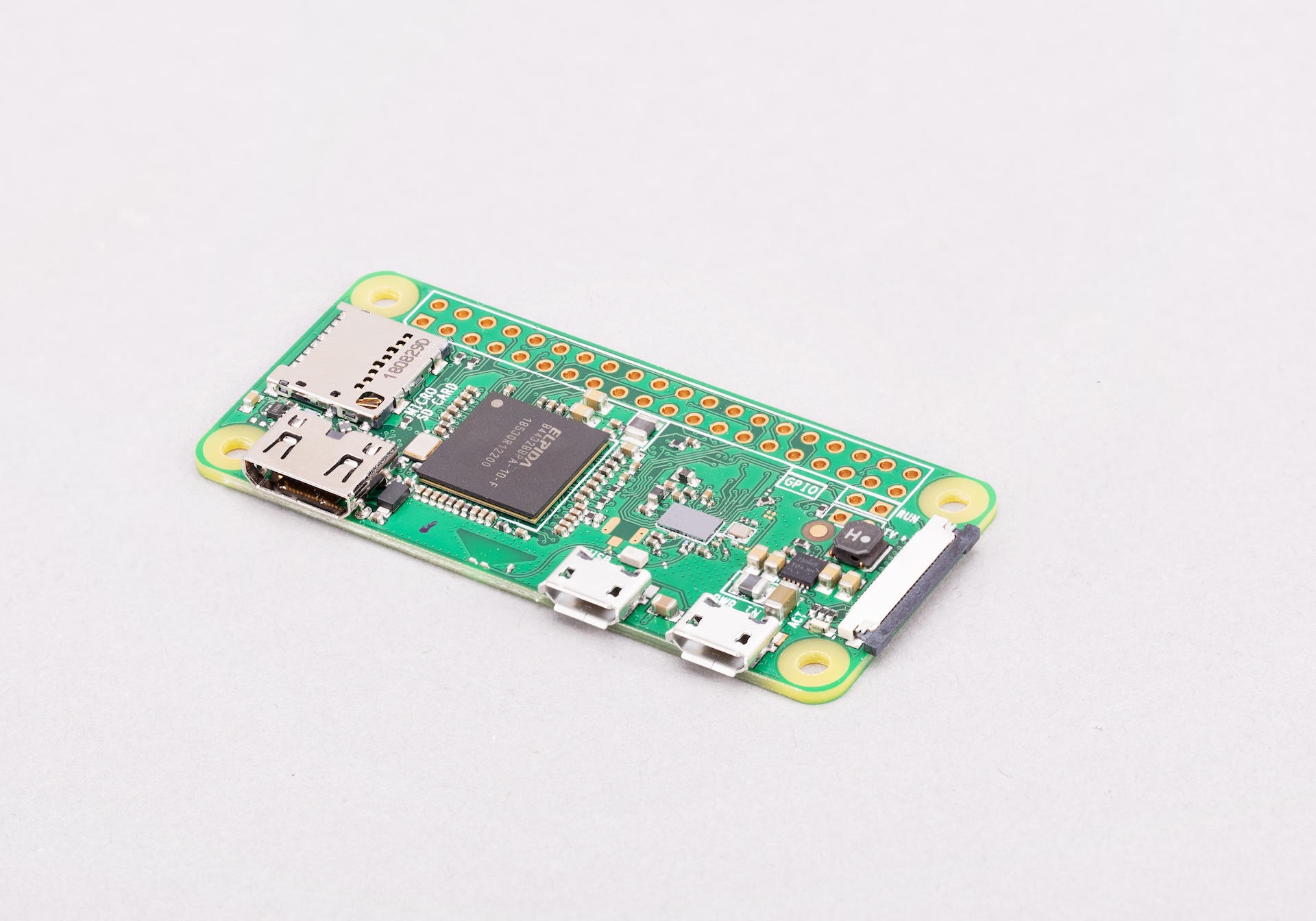
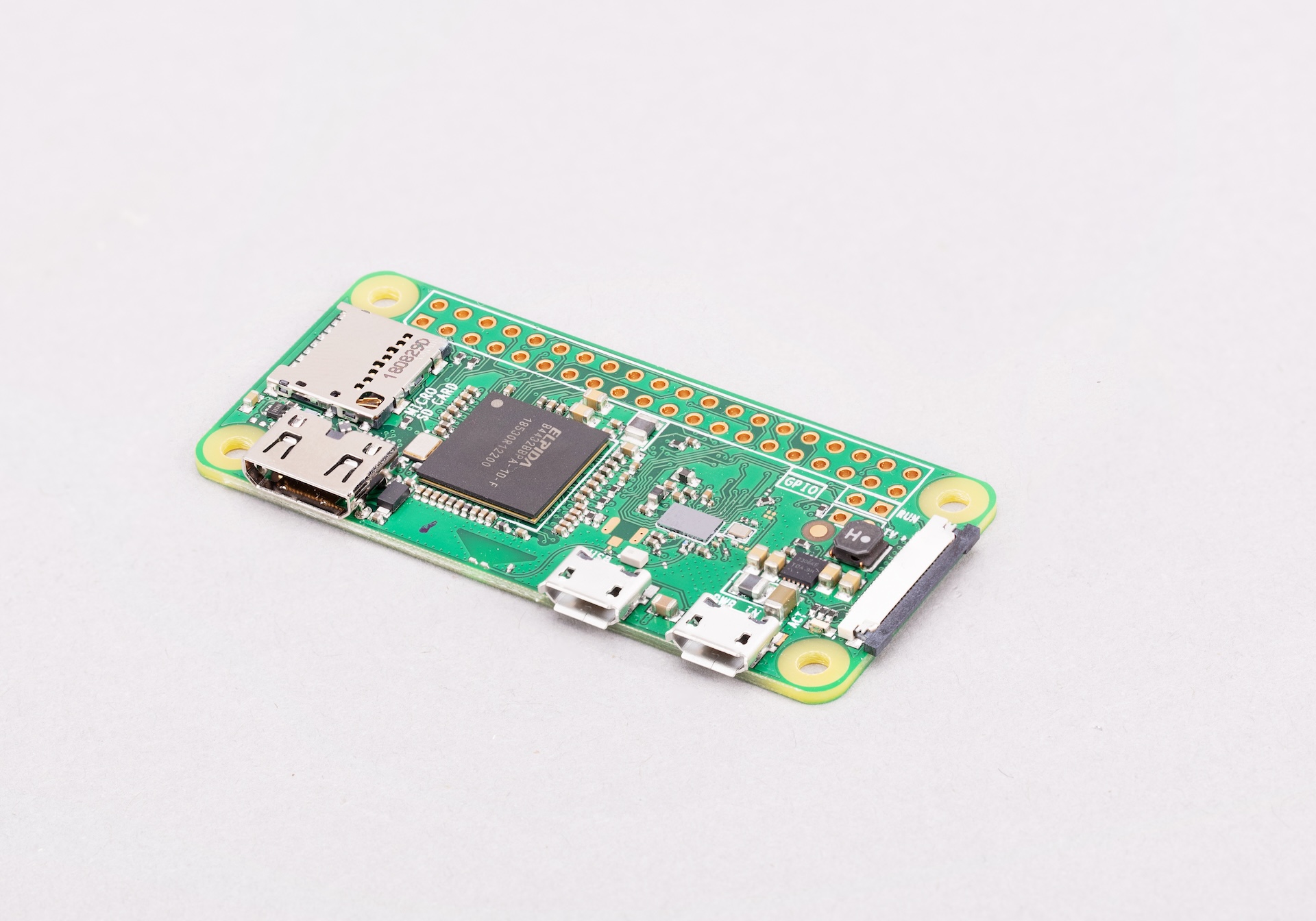
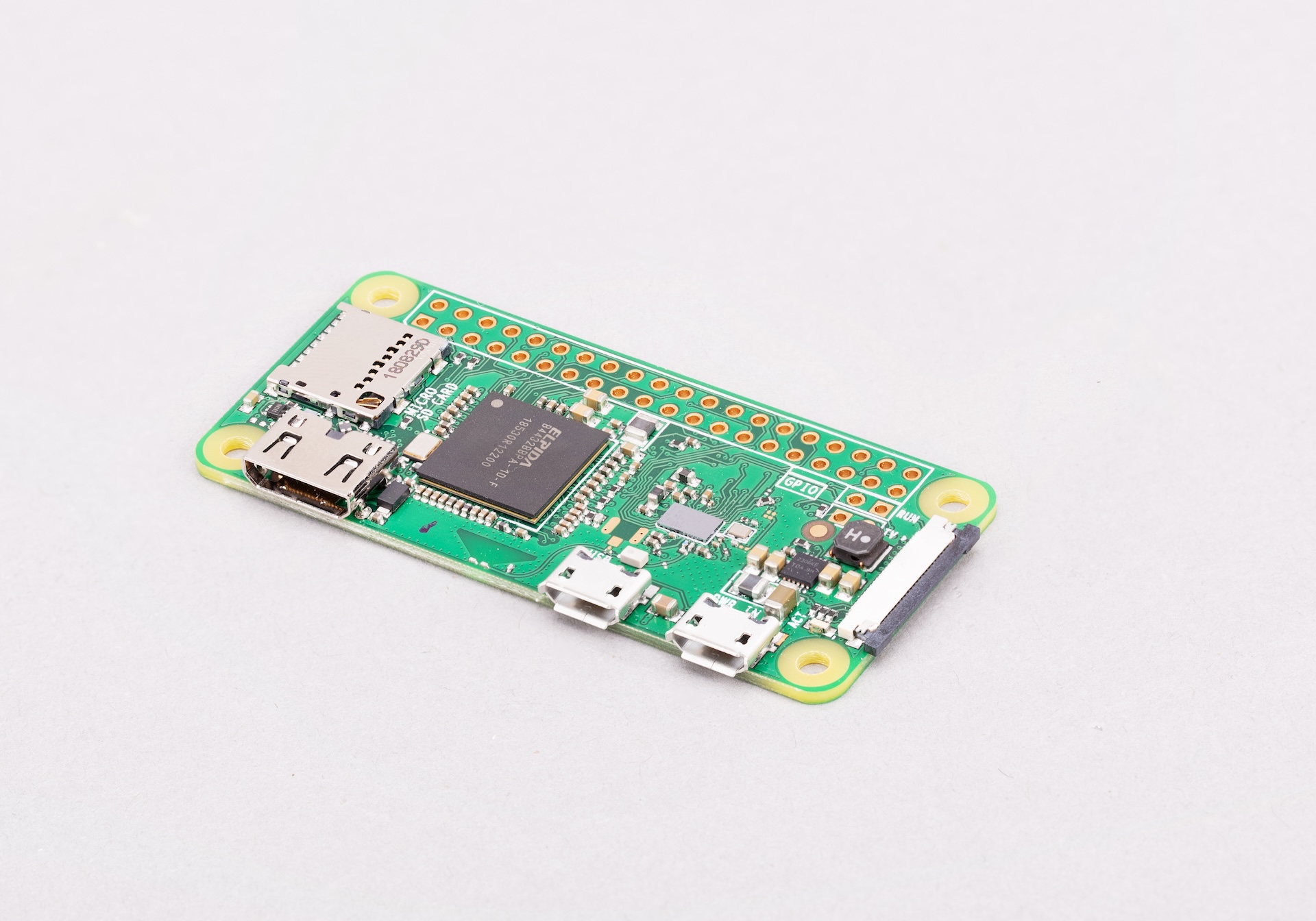
Overview
The Raspberry Pi Zero W was released in February 2017 as an upgrade to the original Pi Zero, adding 2.4 GHz 802.11 b/g/n Wi-Fi and Bluetooth 4.0 / BLE via a Cypress CYW43438 module — all at a modest price premium over the original. It uses the same Broadcom BCM2835 single-core ARM1176JZF-S processor running at 1 GHz and 512 MB of RAM as its predecessor, housed in the identical 65 × 30 mm footprint.
The Pi Zero W opened wireless Linux computing to a wide range of IoT and embedded projects without requiring a USB Wi-Fi dongle. It remains popular for simple sensor nodes, network-connected cameras (with the CSI ribbon cable), and lightweight automation tasks where the full quad-core power of the Zero 2 W is not needed. The 40-pin GPIO header is unpopulated, making the board thin enough for tight enclosures.
Key Features
- Single-core ARM1176JZF-S at 1 GHz (Broadcom BCM2835)
- 512 MB SDRAM
- 2.4 GHz 802.11 b/g/n Wi-Fi and Bluetooth 4.0 / BLE (CYW43438)
- 40-pin GPIO header (unpopulated)
- Mini CSI-2 camera connector (requires Zero-length ribbon cable)
- Mini HDMI video output
- 1× micro USB OTG + 1× micro USB power
- MicroSD card slot
- Identical form factor to original Pi Zero (65 × 30 mm)
- Runs Raspberry Pi OS and compatible Linux distributions
Technical Specifications
| Specification | Details |
|---|---|
| CPU | Broadcom BCM2835, single-core ARM1176JZF-S @ 1 GHz |
| RAM | 512 MB SDRAM |
| Wi-Fi | 802.11 b/g/n 2.4 GHz (CYW43438) |
| Bluetooth | Bluetooth 4.0 / BLE (CYW43438) |
| GPIO | 40-pin (unpopulated header) |
| Camera | Mini CSI-2 connector (1-lane) |
| Video Output | Mini HDMI |
| USB Data | 1× Micro USB (OTG) |
| USB Power | 1× Micro USB (power only) |
| Storage | MicroSD card slot |
| Ethernet | None |
| Power Input | 5V / 2.5A recommended via micro USB |
| Dimensions | 65 × 30 mm |
| OS Support | Raspberry Pi OS, Raspberry Pi OS Lite, DietPi, others |
Pinout
The Pi Zero W uses the standard 40-pin Raspberry Pi GPIO header layout, identical to full-size Pi models. The header is unpopulated — solder your own 40-pin header strips as needed.
| Pin | Function |
|---|---|
| 1, 17 | 3.3V Power |
| 2, 4 | 5V Power |
| 6, 9, 14, 20, 25, 30, 34, 39 | Ground (GND) |
| 3 | GPIO 2 (SDA1 — I2C) |
| 5 | GPIO 3 (SCL1 — I2C) |
| 8 | GPIO 14 (UART TX) |
| 10 | GPIO 15 (UART RX) |
| 19 | GPIO 10 (SPI0 MOSI) |
| 21 | GPIO 9 (SPI0 MISO) |
| 23 | GPIO 11 (SPI0 SCLK) |
| 24 | GPIO 8 (SPI0 CE0) |
Power
Power the Pi Zero W through the dedicated micro USB power port (PWR IN). A 5V supply capable of at least 2.5A is recommended, particularly when using Wi-Fi and attached peripherals simultaneously. The OTG data port on the left edge is for connecting USB devices (keyboard, hub, etc.) and should not be used as the primary power source.
Getting Started
What You Need
- Raspberry Pi Zero W
- MicroSD card (8 GB or larger, Class 10 recommended)
- Micro USB power supply (5V / 2.5A)
- Mini HDMI to HDMI adapter (optional)
- Micro USB OTG adapter (optional)
Setting Up
- Download Raspberry Pi Imager from https://www.raspberrypi.com/software/
- Flash Raspberry Pi OS Lite to the microSD card.
- Use Imager's Advanced Options to pre-configure Wi-Fi credentials and enable SSH for headless deployment.
- Insert the microSD card, apply power, and SSH in once the board connects to your network.
- Solder a 40-pin header if GPIO access is required.
Programming
The Pi Zero W runs full Linux, supporting Python, Node.js, C/C++, and more. Python with RPi.GPIO or gpiozero is the most common approach for GPIO projects.
Python GPIO Blink (gpiozero)
Python GPIO Blink (RPi.GPIO)
Applications
- Wireless IoT sensor nodes
- Network-connected camera (with CSI ribbon cable and camera module)
- Home automation endpoints
- Weather stations with Wi-Fi data upload
- Lightweight web servers
- Portable audio streamers
- Wireless kiosk or signage controllers
Where to Buy
- Official page: https://www.raspberrypi.com/products/raspberry-pi-zero-w/
- Amazon: https://www.amazon.com/s?k=Raspberry+Pi+Zero+W
- Approved resellers listed at https://www.raspberrypi.com/products/raspberry-pi-zero-w/
Equivalent Boards
| Board | Key Difference |
|---|---|
| Raspberry Pi Zero 2 W | Same form factor, quad-core — roughly 5× faster, recommended for new designs |
| Raspberry Pi Zero | Same CPU, no wireless connectivity |
| ESP8266 (NodeMCU) | Microcontroller only, no Linux, far lower power, cheaper |
| Orange Pi Zero | Similar price/size, different SoC and ecosystem |
Documentation
- Official product page: https://www.raspberrypi.com/products/raspberry-pi-zero-w/
- Raspberry Pi documentation: https://www.raspberrypi.com/documentation/
- Raspberry Pi OS: https://www.raspberrypi.com/software/
Community
- Raspberry Pi Forums — official community
- r/raspberry_pi (Reddit) — share projects
- Raspberry Pi Discord — real-time chat
Revision History
| Version | Date | Notes |
|---|---|---|
| v1.0 | 2026-06 | Initial entry |